A room for everyone at the event
Open a hosted room for a conference, a meetup, a workshop or a campus. Members join with the code on the wall, not with a phone number, and the room closes when time is up.
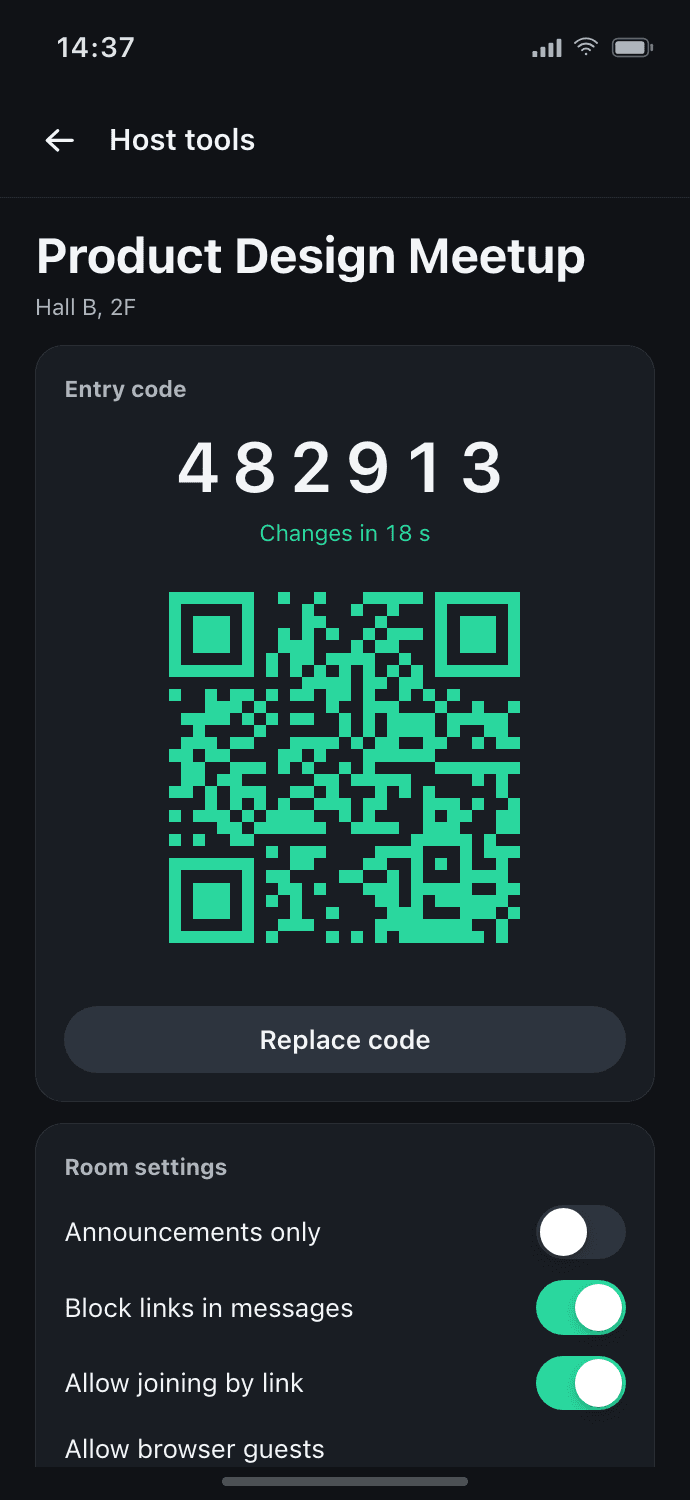
Entry by code or QR
A six-digit code and QR refresh every 30 seconds. Multiple people can join while the code is valid.
- Rooms are never listed or searchable.
- Join approval, when the host turns it on.
- In guest-enabled rooms, open the QR or link to enter and read without installing the app or signing up.
Host tools
The tools a room needs from the first minute.
- Join approval, announcements only, slow mode, link blocking
- Pinned messages, co-hosts and member removal
- A report queue for the host. Optional AI flags mark messages and never delete them.
Members, aliases and private chats
Members see each other's nickname or room alias and a generated avatar. Whether members may start a private chat is the host's choice: not at all, by request, or directly.
- Members report messages and people, and block one another.
- Hosts remove members and delete reported messages.
When the room closes
The room closes when time is up. Its messages are deleted; reported content is kept for safety review.
- Conferences and meetups
- Workshops and festivals
- Group trips and temporary teams
- Campuses and clubs
Can people find the room on their own?
No. Rooms are never listed or searchable; entry is by the code, the QR or the link the host shares.
What does the host see?
Join requests when approval is on, the report queue, and optional AI flags that mark messages and never delete them.
Can members message each other privately?
That is the host's choice: not at all, by a request the other person accepts, or directly. Account members can block one another. Guests cannot start private chats.
What happens when the room closes?
Its messages are deleted. Reported content is kept for safety review.
Do attendees need an account?
Guest-enabled rooms let people open a QR or link to enter and read without installing the app or signing up. New rooms have guests enabled; hosts must enable them in existing rooms. If the host account region is Korea or unknown, guests must switch to an account and verify a phone before sending. A confirmed non-Korean host region allows guest sending without verification. The server uses the host account region. Signed-in attendees follow the existing account verification policy; emails and phone numbers are never shown to other participants.
For people you just met, a link, not your number
Start in the browser, or get the app on iOS and Android.